Best DOT Compliance Software for Small Fleets (2026)
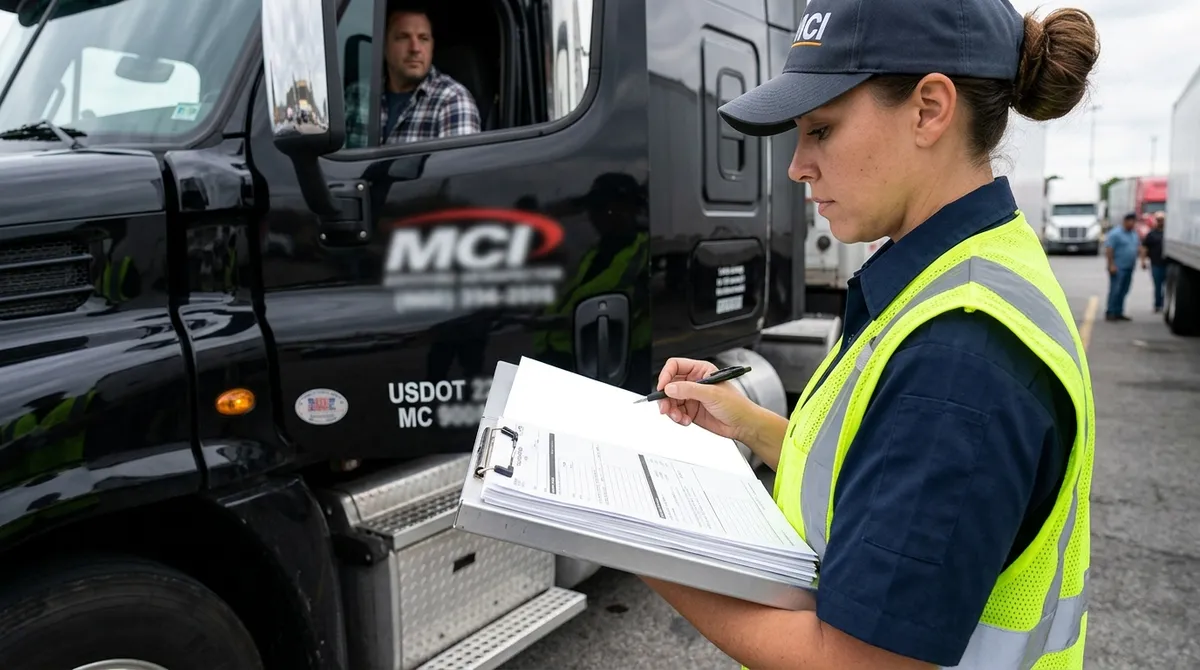
DOT compliance software is the difference between passing an audit in 10 minutes and scrambling for a week. If you're running a fleet of 5, 10, or 20 trucks, compliance falls squarely on you — no dedicated safety director, no compliance team, just you and a stack of driver files.
We evaluated the six leading DOT compliance software platforms head-to-head, from enterprise tools like Tenstreet and Foley to solutions built specifically for smaller operations — including Oculus Reviews, the full-stack carrier platform with DQF management, background checks, and two-sided driver reviews, and its freight operations companion Oculus Freight, a niche TMS built for small carriers and freight consolidators who need compliance baked into their dispatch workflow.
Here's what we found after hands-on testing of how each platform handles driver qualification files, document alerts, background check ordering, audit readiness, and everything in between. Updated July 10, 2026.
Quick answer: the best DOT compliance solutions for fleet operators in 2026
For small fleets (5–25 trucks): Oculus Reviews — DQF auto-assembly, MVR/PSP/Clearinghouse ordering, and driver-consent workflows in one dashboard, with pay-as-you-go pricing and no per-truck minimums (see the DQF software platform). For high-volume onboarding (50+ trucks): Tenstreet, if you have a dedicated coordinator — our Tenstreet alternative breakdown covers when it stops making sense. For outsourced, service-heavy compliance: Foley — full comparison in our Foley alternative for carriers guide. For background screening specifically: see how the tools stack up in the DriverIQ alternative comparison. The detailed head-to-head for all six platforms follows below.
Why Small Fleets Have Different Needs Than Large Carriers
A carrier running 300 trucks has a full-time compliance manager and dedicated onboarding staff. They can absorb the learning curve of a complex system. They can negotiate enterprise contracts. They have someone whose entire job is to make sure driver files are complete.
Small fleets don't have that. When you're running 5 to 25 trucks, the owner-operator or dispatcher handles compliance alongside dispatch, driver relations, broker calls, and payroll. The software needs to be fast to set up, easy to use without training, and priced in a way that doesn't punish you for having a lean operation.
The compliance risks are identical regardless of fleet size. FMCSA doesn't grade on a curve. A missing medical certificate or an expired CDL still triggers a violation in a small-fleet audit. But the resources available to prevent those violations are dramatically different.
That's the lens we used to evaluate these platforms. Not "is it powerful?" but "can a small fleet actually use this without a compliance department?"
What "DOT Compliance Software" Actually Covers (Quick Primer)
The term gets used loosely. Before comparing platforms, it helps to know what a full compliance stack actually includes:
- Driver Qualification (DQ) File Management — storing and organizing the documents FMCSA requires for every driver: application, MVR, PSP report, road test, medical certificate, CDL copy, employment history verification, and more. See our deeper breakdown in driver qualification file software for carriers.
- Document Expiration Tracking — automatic alerts when medical cards, CDLs, or annual reviews are about to expire.
- Background Checks — PSP reports, MVR pulls, employment verification, drug & alcohol history requests.
- DOT Audit Export — the ability to produce a clean, organized file packet if FMCSA or a state auditor shows up.
- Driver Reviews / Reputation Layer — newer category; some platforms now include verified driver reputation data to help make better hiring decisions.
- Post-Accident Workflow — structured documentation flow immediately after a recordable accident.
Most platforms handle some of these well. Very few handle all of them. The gaps are where small fleets get caught.
The 6 Platforms We Evaluated
We looked at every platform with a meaningful presence in the small-fleet compliance space in 2026. Here's a quick snapshot of each before we get into the detailed comparison.
Foley (foley.io)
Foley is a managed compliance service — meaning they do a lot of the work for you. They handle DQ file management, background screening, and ongoing monitoring. The trade-off is pricing that trends toward enterprise and a white-glove model that can feel like overkill for a 10-truck fleet. Strong compliance depth, but built around carriers who want to outsource the function entirely.
Tenstreet
Tenstreet is the dominant player in driver applicant tracking and onboarding. It integrates DQ file workflows into a broader ATS platform. Excellent for mid-to-large carriers managing high driver volume. For small fleets, the complexity and pricing are significant hurdles — it's a system designed for dedicated onboarding teams. We covered more of this in our Tenstreet alternative for carrier qualification breakdown.
DriverReach
DriverReach sits primarily in the recruiting and applicant tracking lane. It has a clean interface and solid driver communication tools. DQ file management exists but isn't the core focus — it's designed around filling seats, not maintaining ongoing compliance. Good for fleets with active recruiting needs; not a full compliance solution on its own.
DOTDriverFiles
DOTDriverFiles is the most focused product on this list: pure DQ file management, per-driver pricing, no extras. It's clean, affordable, and does the core job well. PSP reports run $19.99 each. There's no recruiting layer, no driver reputation data, and no post-accident workflow. Straightforward tool for carriers who want exactly that and nothing else.
SambaSafety
SambaSafety specializes in MVR monitoring and pre-employment screening. If continuous MVR monitoring across your entire driver pool is the priority, this is the strongest product in that category. It doesn't cover the full DQ file spectrum — it's a safety-focused screening tool, not a complete compliance platform. Works well as a point solution or alongside a broader DQ system.
Oculus Reviews
Oculus Reviews is a carrier and driver platform built around driver qualification file management, background checks, and a two-sided reviews layer. Carriers use it to build complete DQ files, order background checks, manage post-accident workflows, and export audit-ready file packets. Drivers use it to maintain a portable compliance vault. The reviews layer is genuinely different from anything else on this list — carriers can see verified reputation data before making a hire, which affects risk on both the compliance and insurance sides. For carriers and service providers looking for a single platform that handles both DOT compliance software and driver reputation management, Oculus Reviews is the only option on this list that does both.
Oculus Freight (Companion Platform)
Oculus Freight is a niche TMS and operations platform built specifically for small trucking businesses and freight consolidators. While Oculus Reviews handles the compliance and hiring side, Oculus Freight handles the dispatch and operations side — load management, route planning, and carrier settlement — with DOT compliance data flowing between both systems. For small fleets that need their DOT compliance software connected to their daily operations rather than living in a separate tab, the Oculus Reviews + Oculus Freight combination eliminates the gap between "hiring a driver" and "dispatching a driver."
Feature-by-Feature Breakdown
Here's how each platform stacks up across the eight criteria that matter most to small fleets:
| Criteria | Foley | Tenstreet | DriverReach | DOTDriverFiles | SambaSafety | Oculus Reviews |
|---|---|---|---|---|---|---|
| DQ File Management | ✅ Full | ✅ Full | ⚠️ Partial | ✅ Full | ❌ No | ✅ Full |
| Document Expiration Alerts | ✅ Yes | ✅ Yes | ⚠️ Limited | ✅ Yes | ✅ MVR only | ✅ Yes |
| Background Check Ordering | ✅ Managed | ✅ Yes | ✅ Yes | ⚠️ PSP only | ✅ MVR + pre-employ | ✅ Full suite |
| DOT Audit Export | ✅ Yes | ✅ Yes | ❌ No | ✅ Yes | ❌ No | ✅ Yes |
| Driver Reputation / Reviews | ❌ No | ❌ No | ❌ No | ❌ No | ❌ No | ✅ Two-sided |
| Pricing Transparency | ⚠️ Quote-based | ⚠️ Quote-based | ⚠️ Quote-based | ✅ Per-driver | ⚠️ Quote-based | ✅ Transparent |
| Small Fleet Fit | ⚠️ Pricey | ❌ Enterprise | ⚠️ Recruiting focus | ✅ Good fit | ⚠️ Point solution | ✅ Built for it |
| Setup Complexity | ⚠️ Moderate | ❌ High | ⚠️ Moderate | ✅ Low | ✅ Low | ✅ Low |
✅ = Fully supported ⚠️ = Partial or limited ❌ = Not available
Pricing Reality: What These Platforms Actually Cost Small Fleets
Pricing is where small fleets often get burned. Enterprise SaaS pricing is designed for procurement teams who expect to negotiate — not for an owner-operator who just needs to know if they can afford it before hopping on a demo call.
Foley operates on a managed-service model. Pricing is not published and is typically quote-based depending on fleet size and services. The white-glove nature of the service means there's a premium for having someone else manage compliance on your behalf. For a 5-truck fleet, that may be more overhead than benefit.
Tenstreet is also quote-based and generally positions itself for carriers doing significant driver volume. Small fleets report that the entry price point is high enough that it's hard to justify without a dedicated onboarding team to get full use out of it.
DriverReach is quote-based as well. Pricing varies by feature tier. Carriers primarily using it for recruiting may find value, but adding compliance features moves you into higher tiers.
DOTDriverFiles is the most transparent: per-driver monthly pricing, with PSP reports at a flat $19.99 each. For a fleet of 10 drivers, this can be genuinely affordable. The trade-off is that you're buying a single-function tool and may need to supplement it elsewhere.
SambaSafety pricing is quote-based and scales with monitoring volume. For continuous MVR monitoring across a 15-truck fleet, costs are manageable — but you still need a separate DQ file solution.
Oculus Reviews publishes transparent pricing. The platform is built to be accessible for small and mid-size fleets without requiring enterprise contract negotiations. Background check costs are itemized, which matters when you're tracking compliance spend driver-by-driver.
Bottom line: If you can't find pricing on a platform's website, plan for a sales cycle and a quote. For small fleets that need to make a fast decision without a procurement team, the platforms with transparent pricing save you a week of back-and-forth.
Our Honest Take: Which Platform for Which Fleet
There's no single right answer — it depends on your biggest gap. Here's how we'd sort it:
You want compliance fully outsourced → Foley
If the thought of managing compliance yourself is overwhelming and you're willing to pay a premium to hand it off, Foley's managed service model is legitimate. The depth of their compliance work is real. Just know you're paying for human service, not just software — and budget accordingly.
You're scaling fast and doing high driver volume → Tenstreet
Tenstreet earns its reputation in high-volume carrier onboarding. If you're growing toward 50+ trucks and have or plan to hire an onboarding coordinator, the investment can pay off. For fleets under 25 trucks, the complexity-to-value ratio is harder to justify. Worth reading our Tenstreet alternative for carrier qualification piece if you're on the fence.
You're primarily focused on recruiting drivers → DriverReach
DriverReach's core strength is the driver acquisition workflow — application, communication, and pipeline management. If filling trucks quickly is the priority and compliance is secondary, it fits. Just don't expect it to anchor your full DQ file program.
You want bare-bones DQ file storage at low cost → DOTDriverFiles
If you already have a process for background checks and just need somewhere clean to store and organize driver qualification files with expiration alerts, DOTDriverFiles does that job without fuss. The per-driver pricing is predictable. No reviews layer, no audit workflow bells — just organized files.
Your main worry is ongoing MVR monitoring → SambaSafety
SambaSafety is the right call when continuous monitoring of your driver pool's license status is the top concern. It integrates well as a point solution alongside a broader DQ platform. Not a standalone compliance answer for small fleets, but strong at what it does.
You want DQ files + background checks + driver reputation in one place → Oculus Reviews
Oculus Reviews is built for the small-to-mid-size carrier that needs a complete DOT compliance software foundation without an enterprise sales cycle. DQ file vault, expiration alerts, background check ordering, post-accident workflow, audit export — and a layer that doesn't exist anywhere else: two-sided driver reviews. Carriers can see what drivers have said about previous employers, and drivers build a verified reputation they carry across jobs. That context changes hiring decisions in ways that a PSP report alone can't.
You need compliance + dispatch operations in one workflow → Oculus Freight
If you're a small fleet or freight consolidator and you want your DOT compliance software to talk to your dispatch system, Oculus Freight bridges the gap. Driver qualification data from Oculus Reviews flows directly into your operations workflow — so when a medical card expires, it shows up in dispatch, not just in a compliance tab nobody checks.
If you want to see how Oculus Reviews or Oculus Freight works for your fleet, request a demo here.
What to Ask Before You Buy
Before you sign anything or give a platform your credit card, run through these questions on your demo call:
- Can I export a complete driver file in 10 minutes if an auditor shows up today? — If the answer is complicated, that's a red flag. Audit readiness should be a button, not a process.
- What happens when a document expires — who gets notified and how quickly? — Some platforms send alerts 30 days out. Some send them 7 days out. Some require you to check manually. Know which one you're getting.
- What's the actual all-in cost for a 10-driver fleet? — Get a specific number, not a "starting at" figure. Include background checks, per-driver fees, and any add-ons you'd actually use.
- How long does onboarding take to get my existing drivers into the system? — Migrating 15 existing drivers into a new platform should take days, not weeks. If the answer is vague, ask for a concrete migration plan.
- Is there a contract minimum? — Month-to-month vs. annual contract matters a lot for a small fleet. Know the exit terms before you're locked in.
- What does your support look like when I have a problem? — Email ticket vs. phone vs. live chat vs. dedicated account manager. Small fleets don't have time to wait three business days for a response during an audit.
FAQ
What is DOT compliance software?
DOT compliance software helps trucking carriers manage the documentation and processes required by the Federal Motor Carrier Safety Administration (FMCSA). This includes driver qualification files, MVR monitoring, background checks, document expiration tracking, and audit preparation.
Do small fleets really need compliance software?
Yes — FMCSA compliance requirements apply regardless of fleet size. A fleet of 3 trucks faces the same DQ file requirements as a fleet of 300. The difference is that small fleets have fewer resources to manage it manually, which makes software more important, not less.
What's the most important document in a driver qualification file?
All required documents matter equally in an audit, but the most commonly missing or expired items are the medical certificate, annual MVR review, and employment verification. Any one of these can create a violation during a compliance review.
How often should driver qualification files be reviewed?
At minimum annually — that's the FMCSA standard. High-risk items like medical certificates and CDLs require monitoring on their own expiration cycles, which vary by driver. Good software automates this so you're not checking manually.
What's the difference between a DQ file and a background check?
A driver qualification (DQ) file is the complete package of documents FMCSA requires you to maintain for every driver. A background check — PSP report, MVR, criminal check — is one input into that file. Background checks give you the raw data; the DQ file is the organized record that proves compliance.
Can drivers see their own DQ file?
On most platforms, no. Oculus Reviews is an exception — drivers have a portable compliance vault they can share with carriers, which reduces back-and-forth during the hiring process and speeds up onboarding.
What happens if I fail a DOT audit?
The severity depends on what's missing. Minor violations result in a corrective action plan. Significant violations can affect your safety rating, trigger more frequent reviews, or in serious cases impact your operating authority. Getting your files organized before an audit is far less painful than scrambling during one.
Ready to see how Oculus Reviews handles compliance for small fleets? Schedule a quick demo — no sales pressure, just a straight look at whether it fits your operation.
About the Author
CDL driver since 2016, owner-operator, fleet operator. Co-founder of Oculus Reviews.
Join Oculus Reviews Today
Create your free account and start building your professional trucking reputation.
Related Articles

How Trucking Companies Can Improve Their Online Reputation in 2026
A practical 2026 guide for carriers: claim your profile, respond to driver reviews, fix what drivers complain about, and turn reputation into recruiting.

Why Driver Reviews Are the Future of Trucking Recruitment
Verified driver reviews are reshaping trucking recruitment as leverage shifts to drivers. Why reputation data now decides which carriers attract and keep talent.

Werner Enterprises Driver Reviews 2026: Dollar General Pay
Werner drivers reveal real pay ranges, the Dollar General dedicated account pros and cons, DAC report risks, and is Werner still worth signing on in 2026?